

DIGITIZED COUPON BOOK
Success in Education
PROJECT OVERVIEW
CLIENT
Success in Education
PROJECT
Admin Application Dashboard/ UI
SCOPE
Turn the paper and in-person process for delivering coupons to participants in a program into a streamlined digital experience.
ROLE
Lead Experience Designer
COLLABORATIONS
Development Team, Project Manager, Account Director from Hoverstate, Program Manager from Success in Education team
PROBLEM
Success in Education is a company that provides education based programs for students in K-12 and beyond by working with local schools. They reward the teachers and staff who help facilitate the program at the end of every school year. This is done by visiting every school that is participating (up to 100 schools) and delivering coupons to in person. This takes a lot of time for the Success in Education program managers, so they wanted an easier way to get the coupons to the teacher and staff every year. This project had very, very quick timeline as they needed it to be live before the end of a school year and we started it a few months before that.
SOLUTION
Creating a digital desktop and mobile experience for teachers to log into accounts, browse the coupons available to them and redeem coupons a single time. Include a space where users can see what coupons have/ have not been redeemed. The Keys to Success team to announce (via email) to users when new coupons are posted on the site (happens annually). Users can use same login year after year, though coupons will change.
PROCESS
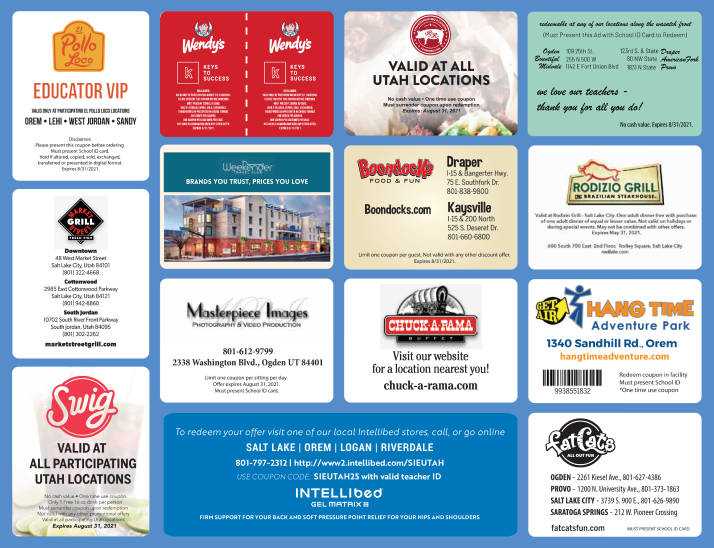
First, I decided on the overall structure of the site. Once this was confirmed, I focused on the main experience on this website: viewing and redeeming coupons. I used the paper coupon book the client was already using as inspiration for the digitized version. I created coupon templates that allowed every different type of coupon to fit into, including higher tiered sponsors who would get extra space for their items on the screen. After that, I researched and laid out all the different scenarios for redeeming the different coupons and put every coupon for the year in one of the categories. I, then, worked on how the experience would differ for each of the scenarios. After that I worked through the rest of the site: sign up, login, my account, about, sponsors, help center, emails.
PERSONAS

PERSONA 1
Success in Education Participant - On Mobile
A teacher or staff member who works with one or more of the Success in Education programs at their school. They recieve coupons (that are valid for one year) at the end of every year. This user accesses the coupons on a mobile screen and redeems their coupons using their phone.
PERSONA 2
Success in Education Participant - On Desktop
A teacher or staff member who works with one or more of the Success in Education programs at their school. They recieve coupons (that are valid for one year) at the end of every school year. This user accesses the coupons on a desktop screen.
WIREFRAMES
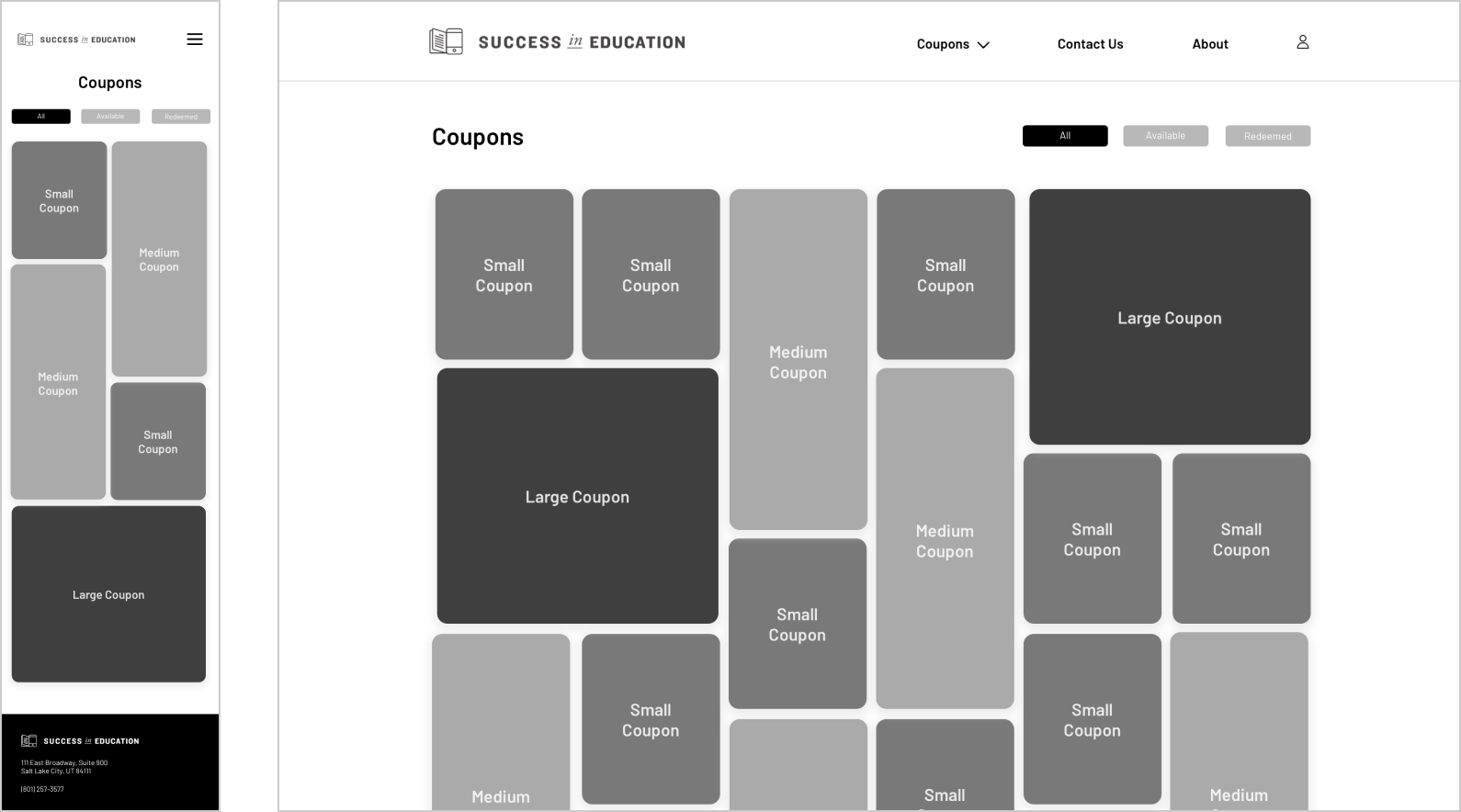
The wireframes were created and prototyped to ensure a positive experience before moving onto the high-fidelity mockups. The wireframes were designed in a mobile first strategy because the majority of the coupons were to be redeemed in person while people are out of their homes. (Desktop wireframes were made as well.) The layout for the coupons was one of the most challenging but exiting and fun screens to work on based on the requirements. The wireframes were shown to the client before moving onto the next steps.
DESIGN CHANGES
After reviewing the wireframes with the client, we got more information about the coupon redemption process. Due to time and budget constraints, we learned that some of the coupon experiences would need to rely on the honor system with the users so that they were not used more than once. As a team, we were able to adjust the experience for the coupons so that it wouldn’t be possible to use them twice (for some of the redemption scenarios). This was approved by the client and implented in the final designs. We also got more direction on what was necessary for the coupon hierarchy and worked with the client on creating a tier system to organize the main coupon screen in a way that would honor the biggest sponsors for the program. It was also in this stage that a need for a redeemed and non-redeemed version of the coupon screens was confirmed.
DESIGN SYSTEM
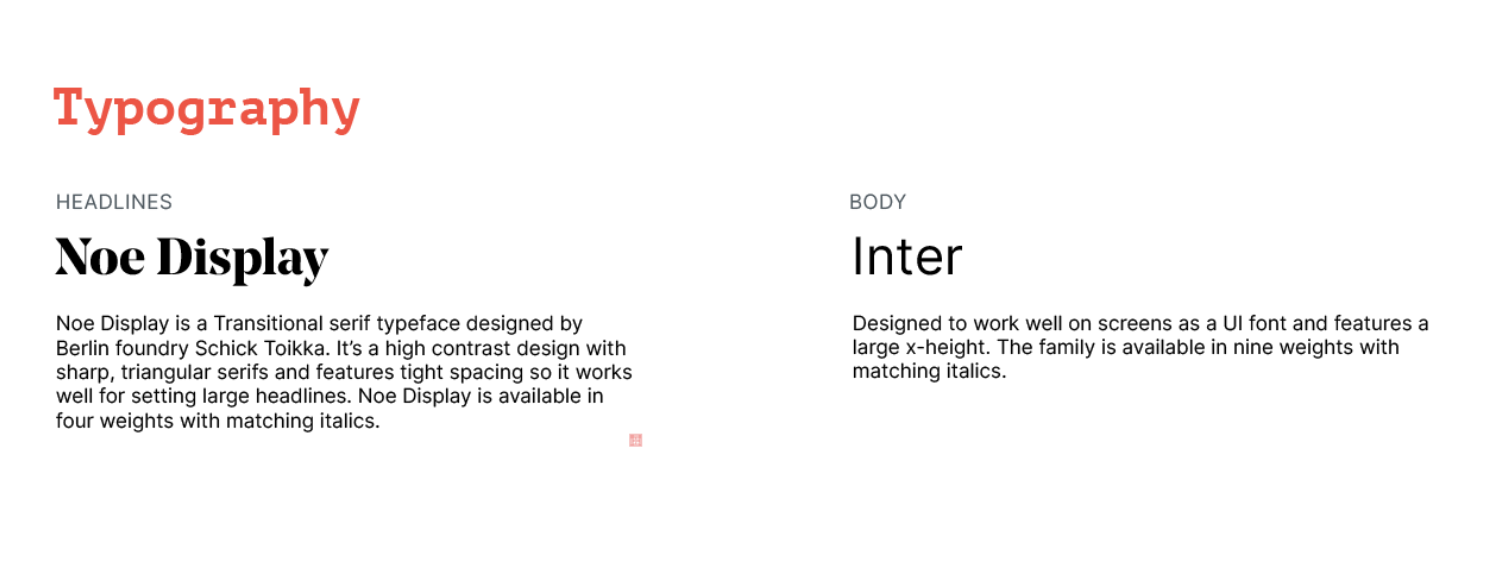
New brand colors and fonts had just been approved for the Success in Education brand as the start of a process to unify all of their programs. The rest of the design system comes from elements used within their progams.

FINAL DESIGN
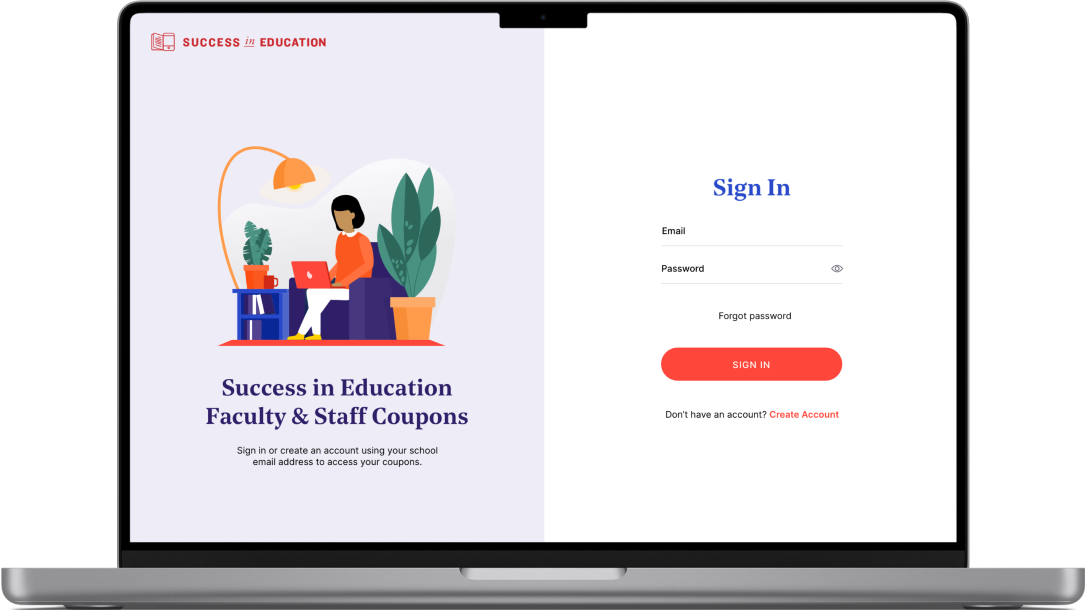
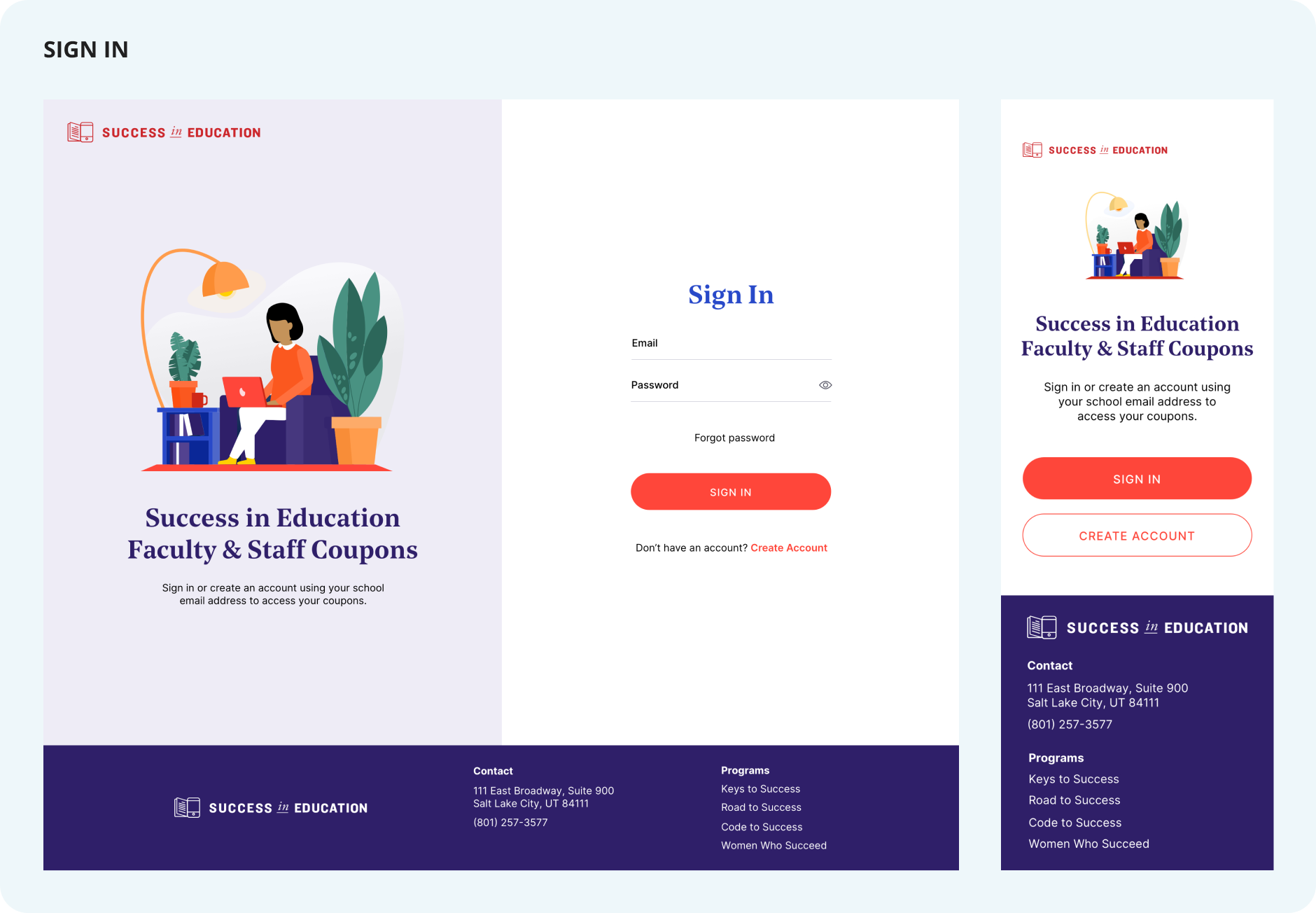
The final design gave users a streamlined process that can be access anytime from a mobile or desktop device. The users are able to look through all of the coupons, see the directions for redeeming each coupon and know if they have already redeemed a coupon or not. The site had a login that was attached to their logins for the Success in Education programs themselves, so if they are able to log in to their program account, they’re able to log in into this account as well. The final design included email templates for the admins to send out at the end of every school year when the coupons get refreshed.
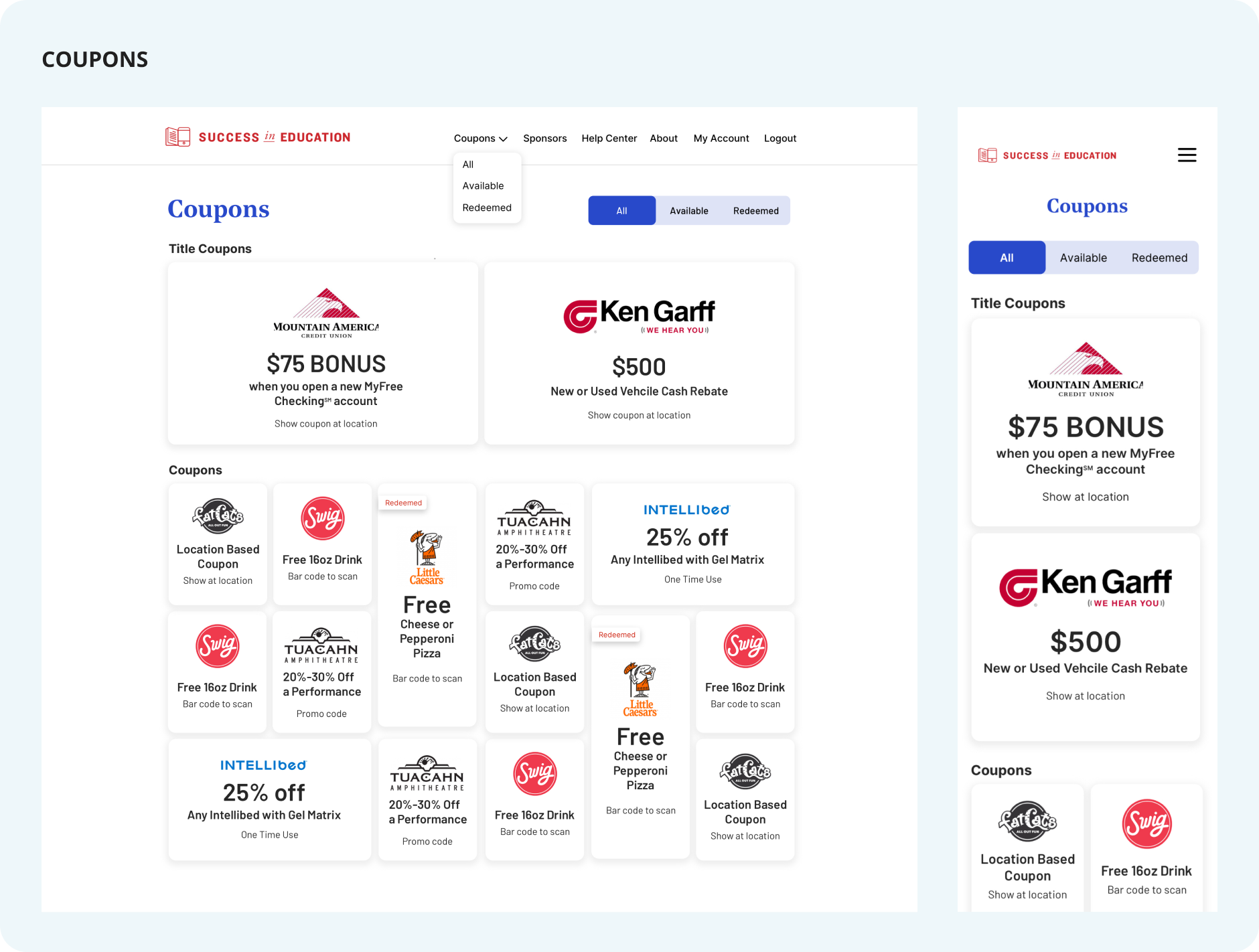
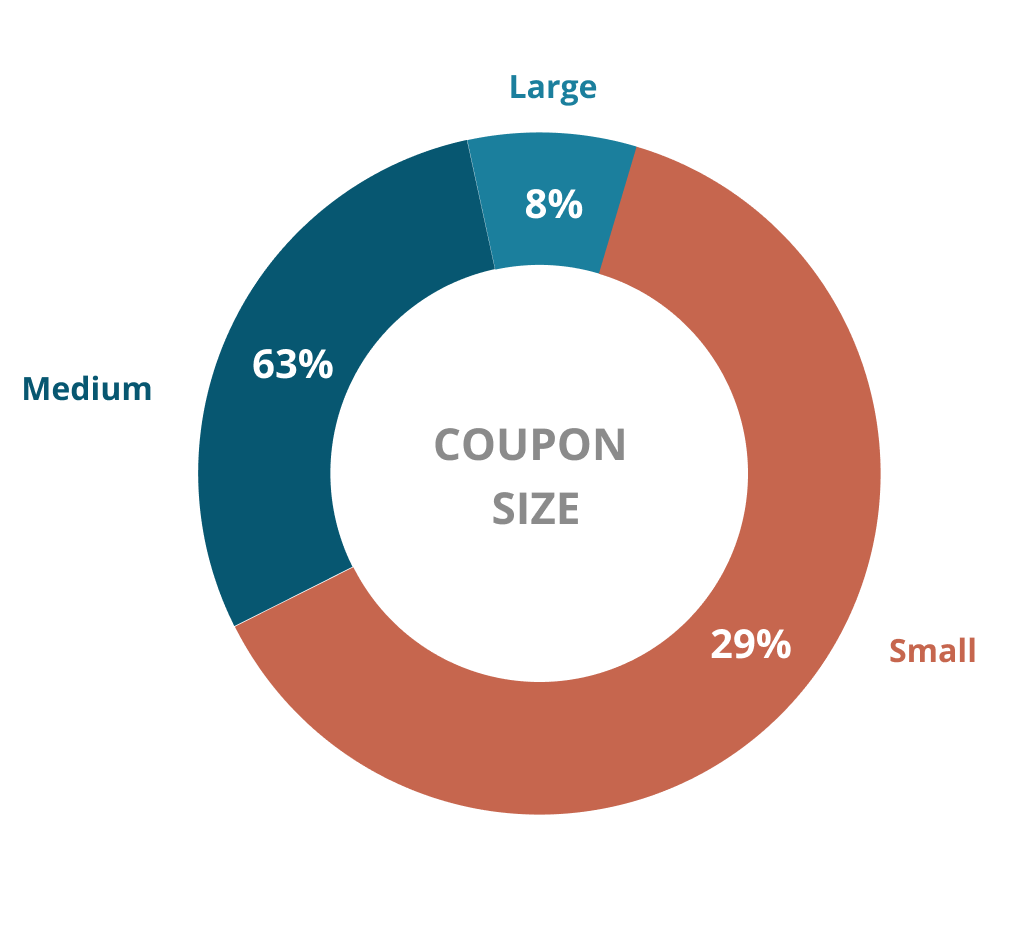
The coupons page of this website is where most actionable items take place. All available coupons for the year are seen here. I designed four different dimensions for the coupons. This is so that there is an option to fit the title, logo and other copy in whatever way necessary. These sizes are also able to fit in different patterns to fill necesary space. When the coupons are refreshed each year, they will all have a spot they can fit in. Per the client’s request, there are two tiers of coupns. This is to highlight their larger sponsors. There is also a way to toggle between all coupons, available coupons, and coupons that have already been redeemed. A help center, about information page, and account information page are also available on the site at easy access in the main navigation.
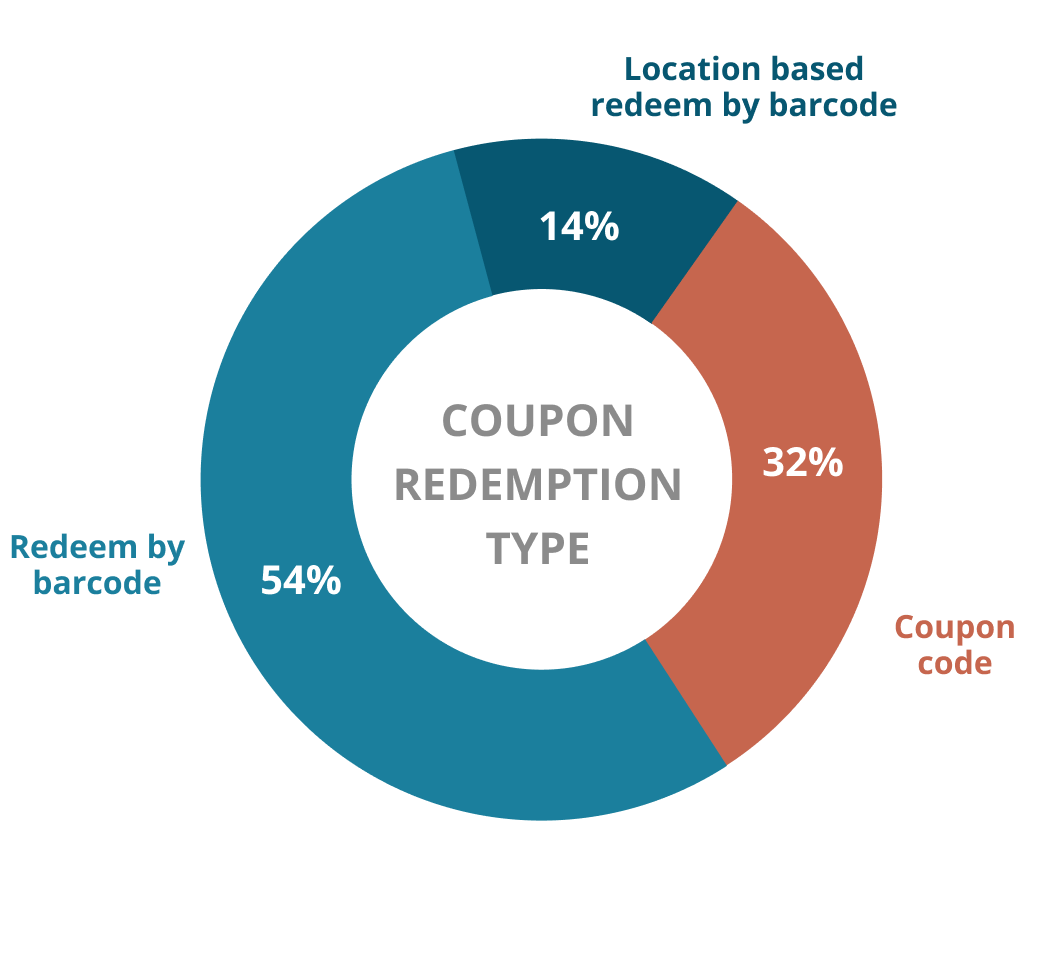
There are two different ways to redeem coupons based on what the sponsoring companies are able to provide to the Keys to Success team. This is to accomadate the wide range of ages of teachers/admins in the school system because there are varying levels of comfortability with technology. Route number one is for the user to self-identify if they have redeemed their coupon. The other route is that the the sponsor provides a one-time use bar code. This bar code can be used at any participating location. This is the route that the client wants the sponsors to go so it was focused on a bit more. I am showing the mobile view here because the assumption for the personas we have is that they will redeem these on the spot on their phone. There are printable options as well in the desktop view.
DESIGN SYSTEM
The client was thrilled to be able to send an email to participating teachers and staff every year and not have to take the time to visit all of the schools throughout the state. The users of the digital coupon book appreciated that they had a space to always access their coupons and it wasn’t something they could physically lose anymore.
The prouct was so successful, the client hopes to integrate it into an admin tool that was built for them in the past so they can manage more of the updates on their end.

WHAT I LEARNED
During this project I learned the importance of designing mobile first for the sake of quick development. This approach forced me to focus on what was actually necessary for users to see and helped developers build the product very quickly, which was necessary given the super quick turnaround time that was needed. It was also a good reminder that simplicity on mobile screens is totally okay in some situations.
This project also showed me the benefit of using slightly more high fidelity wireframes because the transition from wireframes to the final design was very quick. Almost all of the client feedback came to us during the wireframe stage, which meant that when the final design approval process came, there was very little to change. This, again, kept the work for the project constant on the develpment side, which my internal team needed.
Unfortunately, there was not time to test this product before going live. At the time of launch, the plan was to gather user data and get feedback from actual users and make improvements before the coupons were launched again for the next school year.
